
Lay-away enables you to put to one side goods that a customer wants, but where the sale has not been completed. For instance-
- Customer may want to “reserve” an item, and carry on shopping
- Customer has items to buy, but needs to go for cash or a card etc and call back later to pay
- Your organisation May allow partial payment – see section at the end, Partial Payment
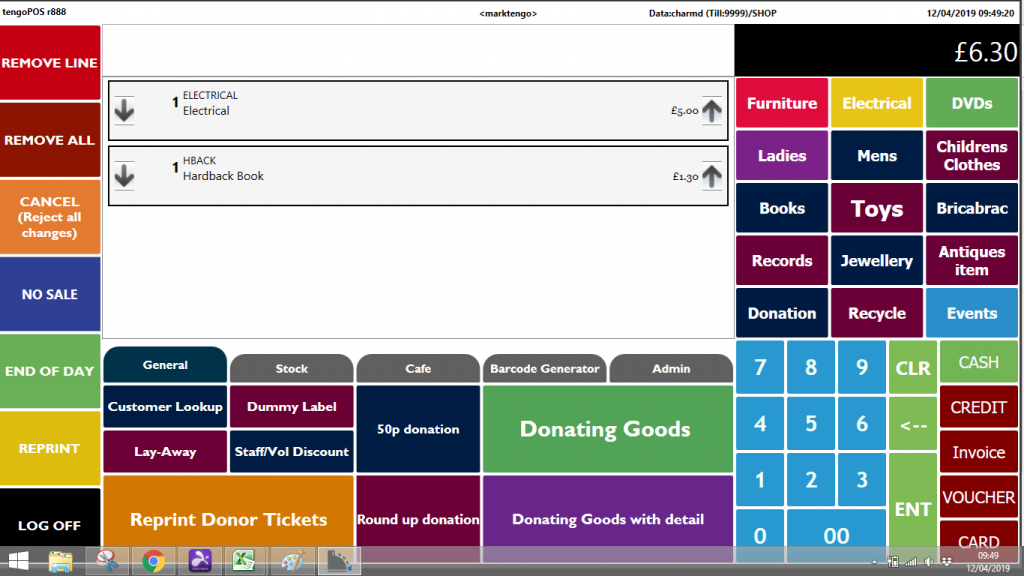
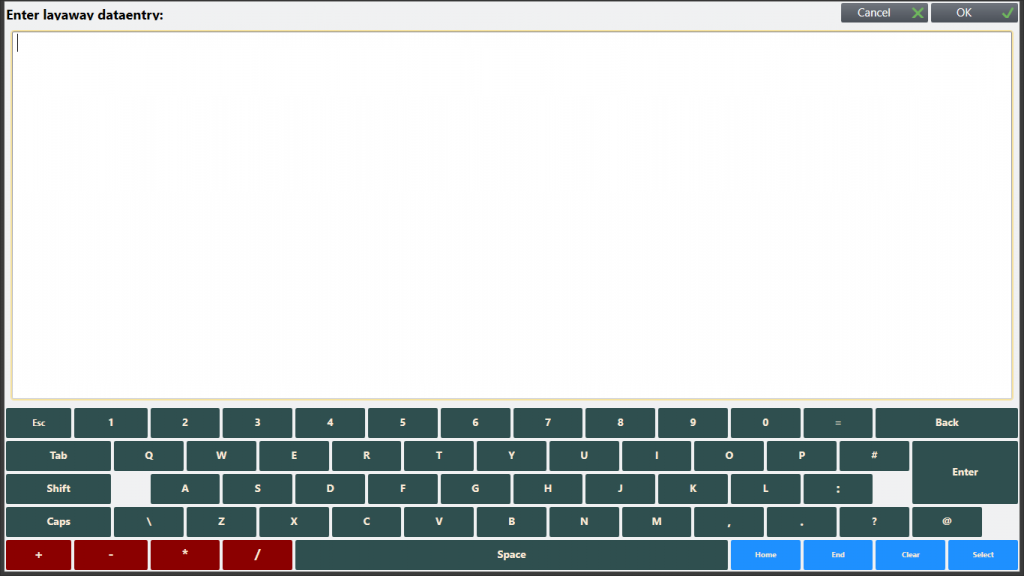
The items are posted on the till as normal (see 1 below, goods total £6.30, not yet paid for), but before payment is taken, the Lay-away button is pressed. See 2 below, on the Lay-away screen type in some details – free format, but should contain the name of the customer to help identify them later. Press OK, this information is stored and the items disappear from the screen so you can carry on with the next customer as usual.
1
2
When the customer comes back, to pay or with other items, press the Lay-away button again and a list will appear of set aside items.
3
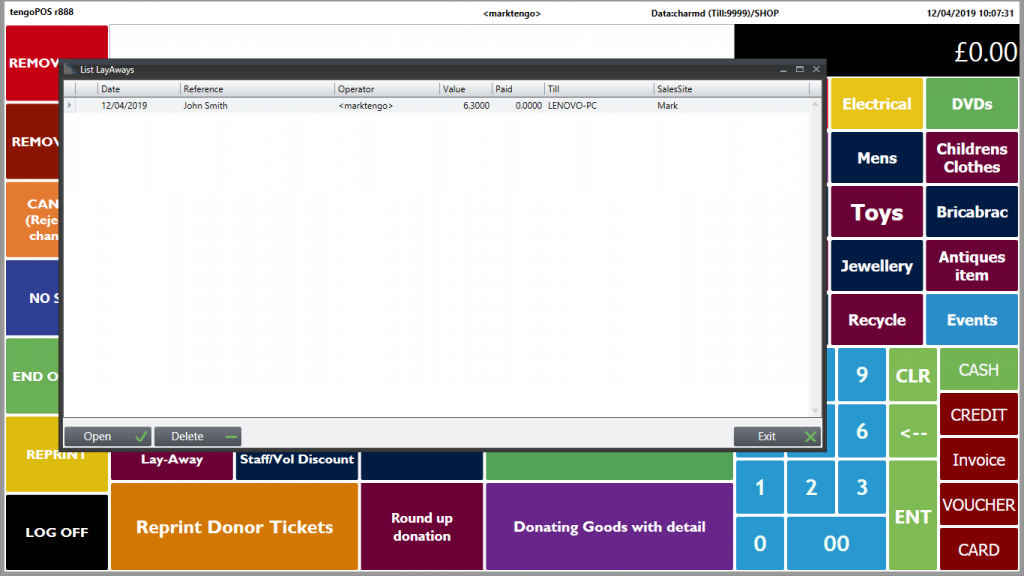
Press “Open” and the sale will re-open on your till exactly as it was, either to add too, amend or take payment for as normal.
Partial Payment
If your organisation allows the customer to pay in installments –
till in all the items as above
If a partial payment is being made, say in the above example customer pays £2 cash
- press cash
- key in £2.00
- Press Enter
- Press Lay Away
When the customer comes back in, press Lay Away, highlight the appropriate line and Open
- The sale re-appears with an extra line Deposit Payment (The word HireCharge may appear above which can be ignored), in this case £2.00
- Using the down arrow on the left of the product line, reduce the deposit line from a count of 1 to zero
The amount of deposit paid comes off the total owed, so in the above example the till would show £4.30 in the top right box, now owed not £6.30, as £2 has already been paid.
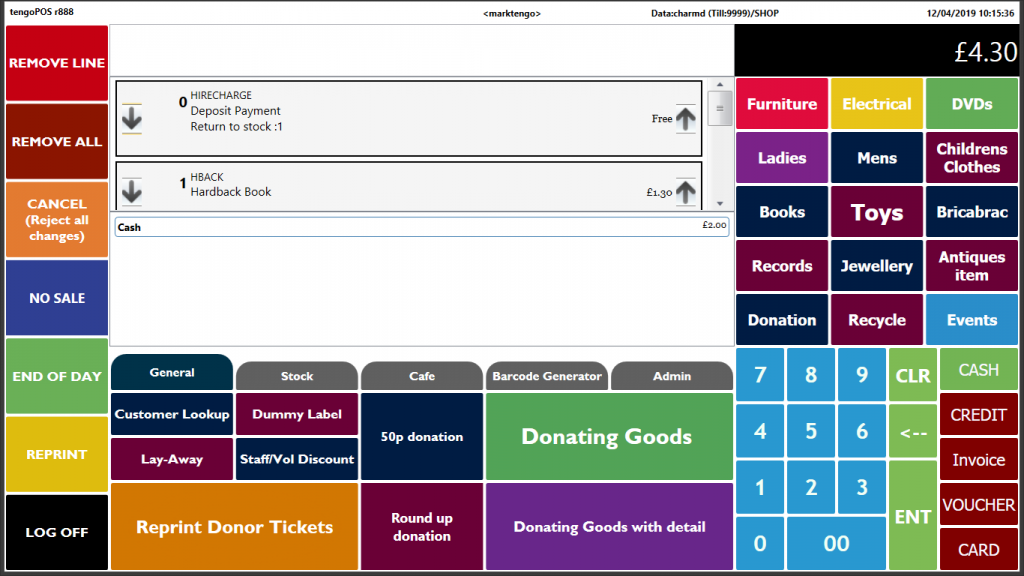
Customer can now pay the £4.30 to complete the purchase in the usual way, or indeed if allowed make another partial payment (Press Cash then the amount (e.g. another £2) then Lay away)
If a second or subsequent partial payment is made, there will be more than one deposit line to reduce to a count of zero before the sale is completed, to show the residual amount owed in the top right payment box.
Reducing the “Deposit Payment” line as outlined above may seem a little odd – but, when the customer makes a partial payment, in this case £2, so that the till balances that evening the £2 cash in is recorded as a Deposit Payment “sale”. It acts as a temporary home for the funds so that the cash received is properly recorded. When the goods are finally fully paid for, the income has to be shown against the products, so Deposits are then reduced to nil.