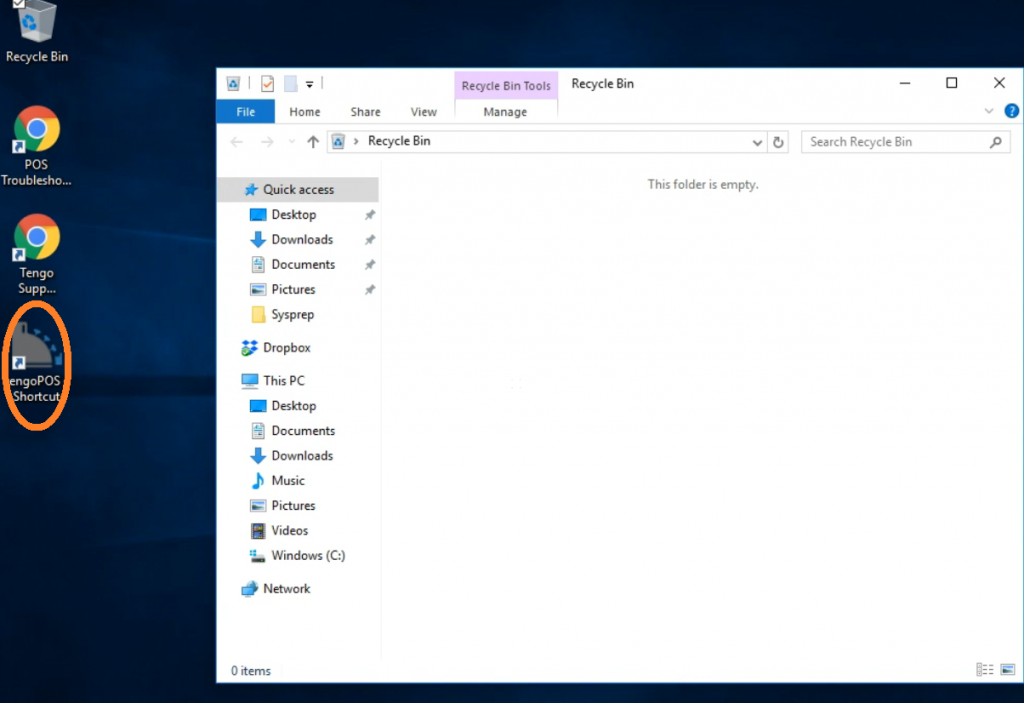
If you can’t log in to the tengoPOS till software because the icon is missing it is likely someone has accidentally deleted it. Please follow the instructions below to restore the icon –
If you come to open the software and the icon is missing, like the example below, please tap on the Recycle Bin (highlighted below) and press enter.

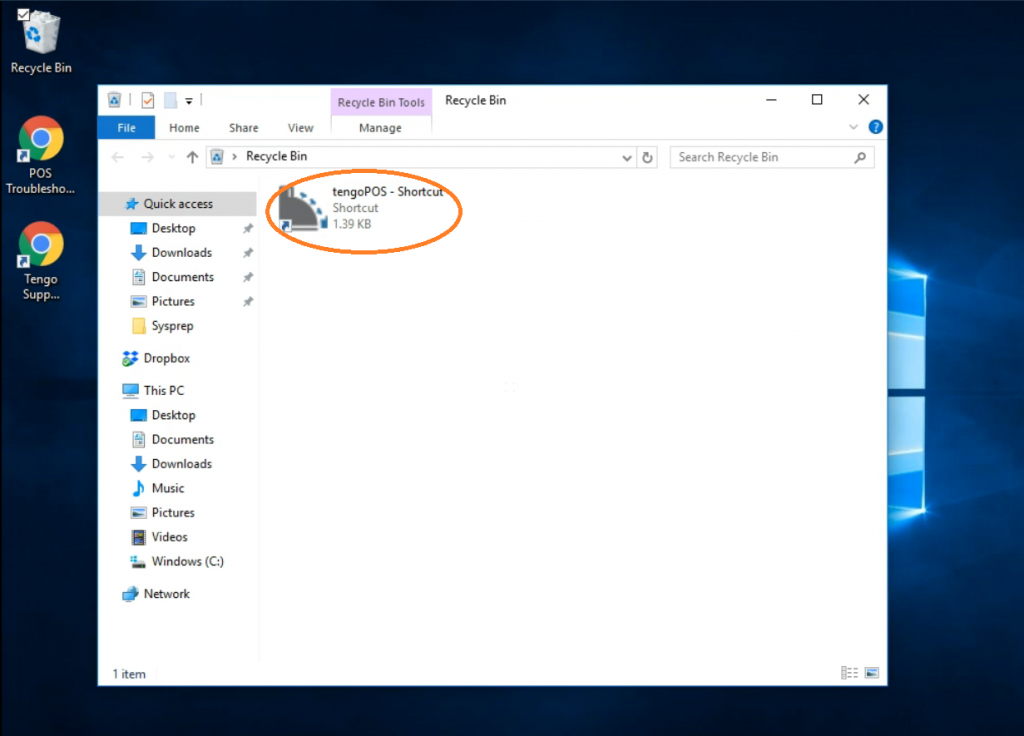
The Recycle Bin folder should now be open and you should see the tengoPOS icon in this folder (highlighted below).
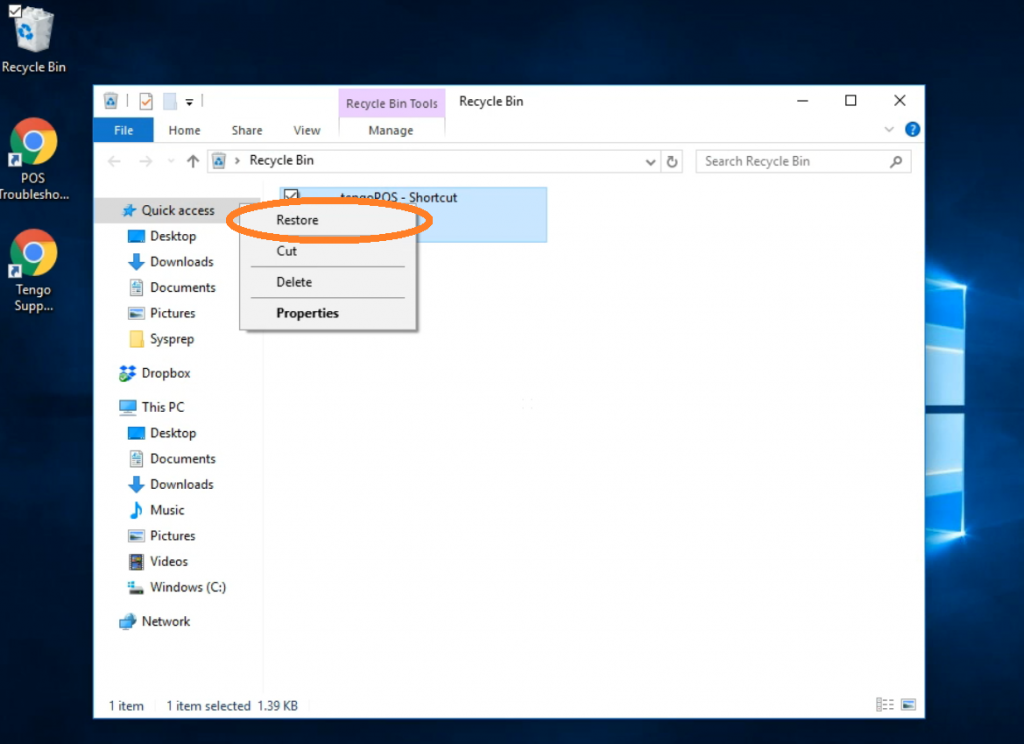
Hold your finger on the tengoPOS icon and a menu should appear (see below), you now need to press restore (highlighted below).
Now you should be able to see the tengoPOS icon back on the main screen and the Recycle Bin folder should be empty. You can now close the Recycle Bin folder and open the tengoPOS software in the usual way.