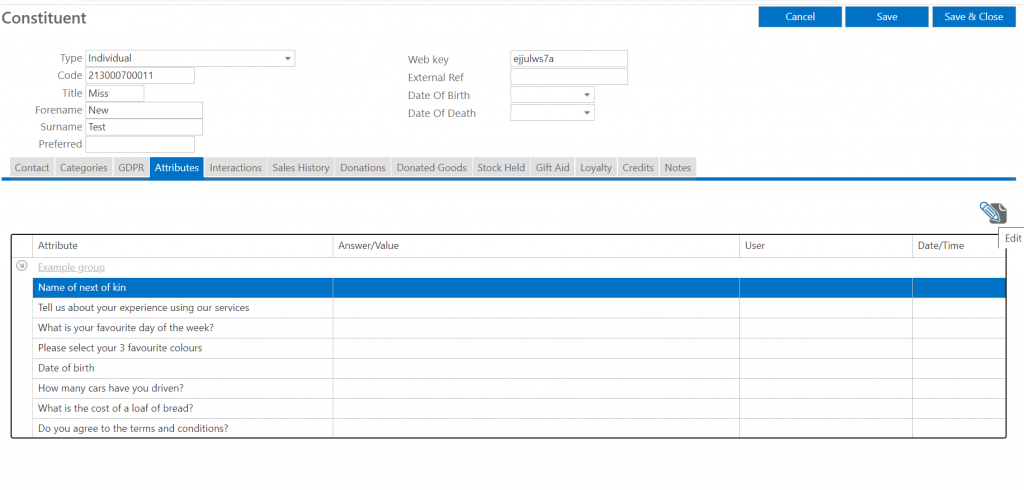
Open the relevant constituent record (see managing constituents guide) and select the attributes tab. This tab will show all relevant attribute groups and attributes (questions/statements) for this constituent (this could be based on a category they are in (see constituent categories guide) or information you want to collect about all constituents).
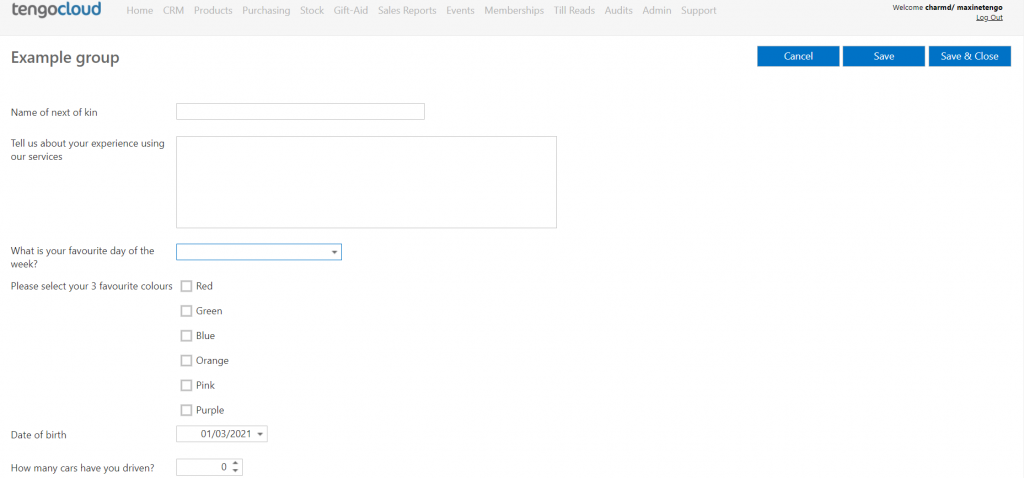
If you would like to add responses to all questions/statements in a particular attribute group simply click on the name of the relevant attribute group and this will open an attribute form for you to complete. Once you have completed the form click save and close to go back to the attributes tab where you will then see the relevant answers and audit information.
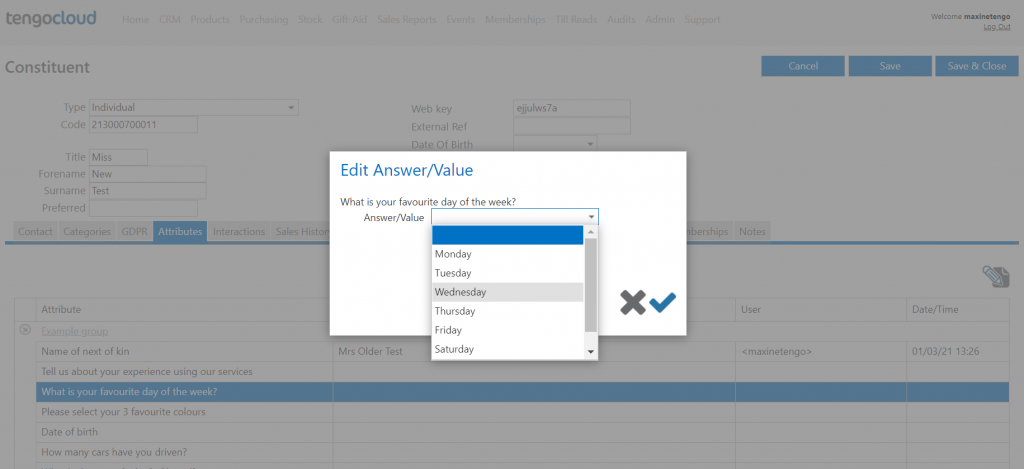
If you just need to add or edit the answer to one question/statement simply highlight the relevant line and click the pencil (edit) icon at the top right of the box. This will open a box where you add the answer and the click the tick to save your answer.