
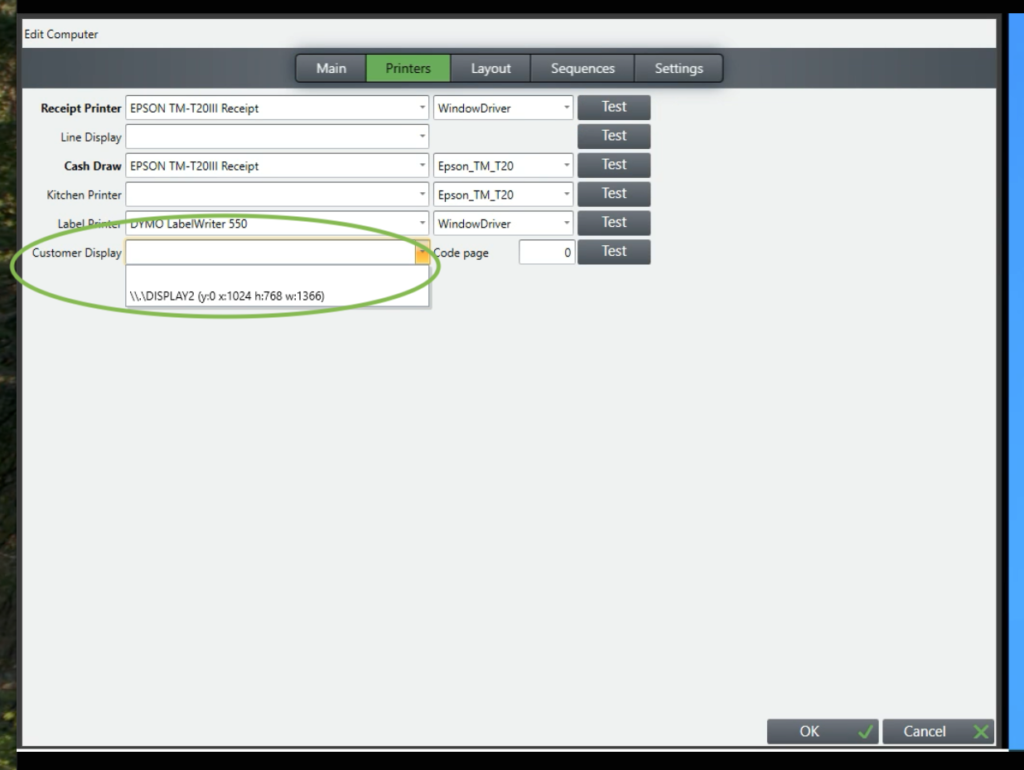
If you have a second display that is showing the plain Windows screen rather than the screen that has been set up for you then you may need to set this in tengoPOS. To set the second display log in to the tengoPOS software and type \\TILL click the printers tab at the top of the screen and then click the drop-down arrow in the box where it says customer display (see image below). Finally, select the second display on the drop-down and then click OK.
You will now need to exit tengoPOS, if you do not have a button to do this type \\EXIT to close the software. Once the software has closed click the tengoPOS icon on your desktop to reopen it. After the software has started again the second display should be working as expected.