
Should you need to find a sale/transaction without the receipt, type \\FSAL when logged in as an administrator to bring up a searchable list of transactions, which you can View and amend. You may also have a button for this on your admin screen if this has been configured e.g. Find Sale or Sales History, which will take you to the same screen.
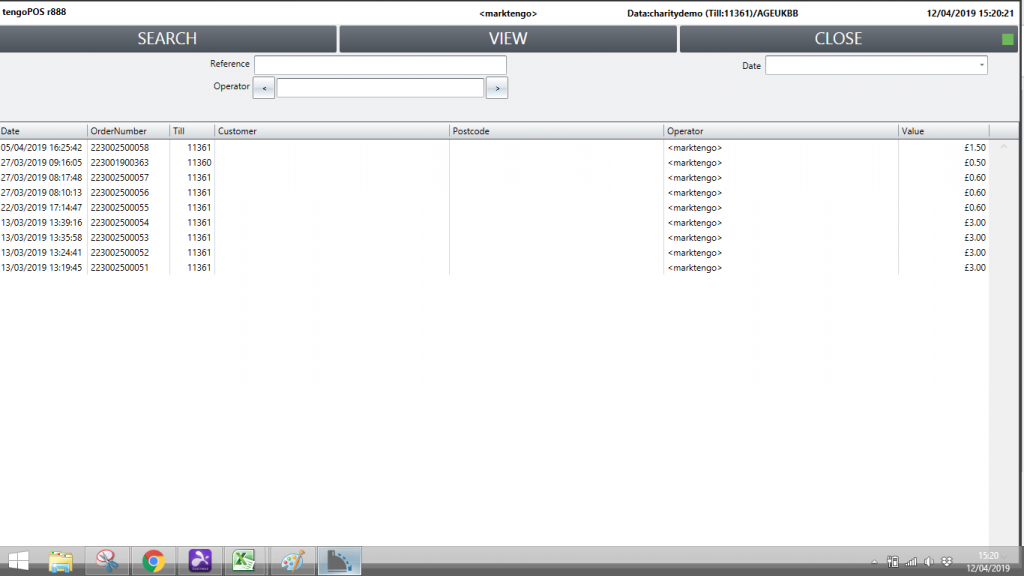
The screen will automatically list the most recent batch of sales, you can search by Date, User (find the Operator by scrolling right using the arrow, then back using the left arrow) or the sale reference / bar code number if you have it.
Highlight your sale when you find it and press View. Sales will appear on screen as they did at the time of sale.
If you do not wish to make any amendments, press your Cancel or Reject changes button, do not press Remove Line as this will amend the sale as per the refund process. Alternatively to find another sale, wiping the current one from view without changing it, press Find Sale again or type \\FSAL. See the article Performing Refunds / Returns if appropriate.