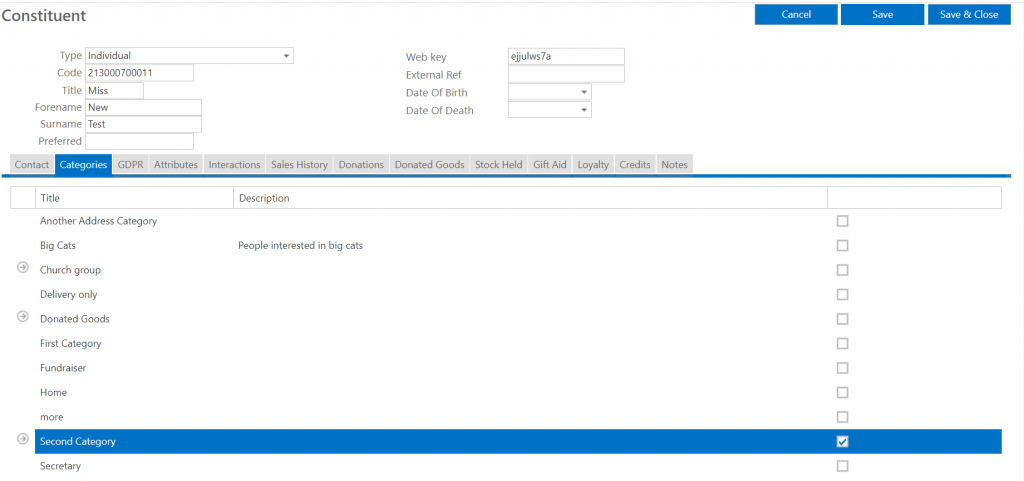
Here you can categorise your constituents on many levels allowing you to generate lists of donors in specific categories and collect relevant data about constituents depending on the category they are in (see Managing attributes guide). You can have a basic list of categories or you can have levels of categories which allows you to manage your constituents in greater detail.
Adding a category
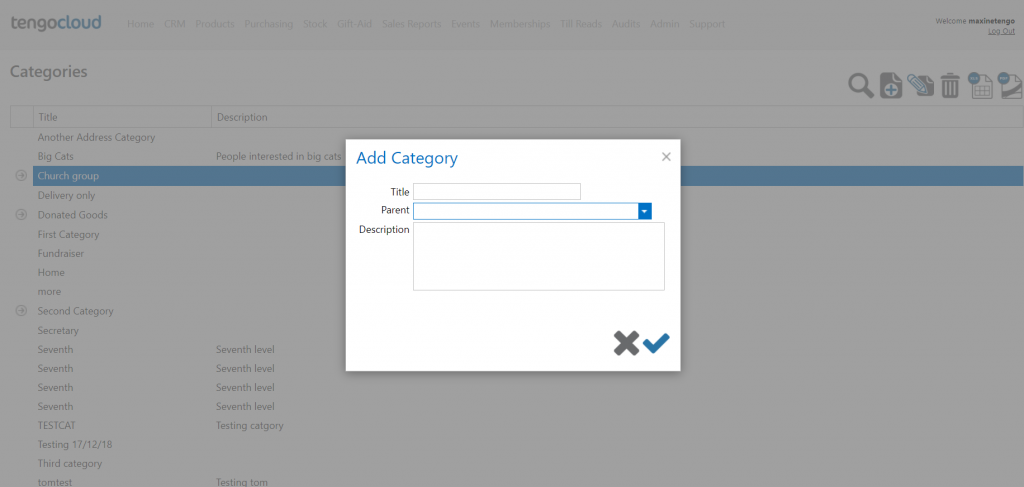
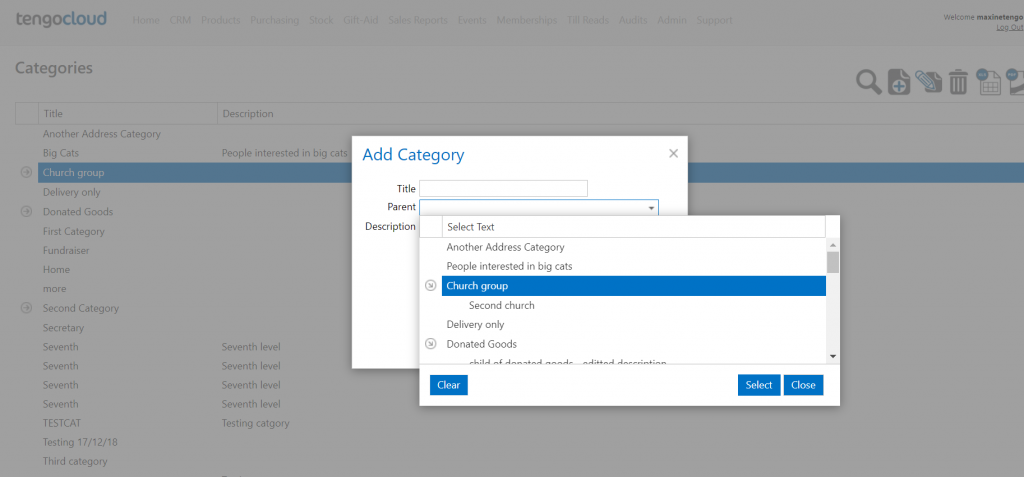
Log in to tengoCloud and select categories from the CRM dropdown menu. Click the plus (new) icon at the top right of the screen. Add the title you want the category to have and write a brief description, here you can also decide whether this is a top level (parent) category or a lower level (child category). If you want it to be a parent category do not select anything in the parent dropdown, if you would like it to the a child category select the relevant parent category from the parent dropdown. Once you are happy with the information you have entered in the box click the tick to save this information and the category will appear on the list. If you change your mind about setting up this category tick the cross in the box.
Editing a category
Follow the instructions for adding a category but instead of clicking the plus icon select the category you want to edit and click the pencil (edit) icon.
Adding/removing a category on a constituent record
Open the relevant constituent record (see managing constituents guide) and select the categories tab and tick or untick the relevant category/categories. Then be sure to click save or save & close to commit your changes.