
Certain products, especially in charity retail scenarios, are set up so you enter the price when you press the product’s button on the screen. If you need to sell multiple instances of this same product, on the same transaction, you need to tell the system this, otherwise the same product when added, goes in to the same line at the same price as the first instance added.
To tell the system the product is to be sold individually, in tengoPOS, press your ‘edit products’ button, or type in \\PROD and press enter. Search for the relevant product(s), select the one you wish to edit, and click ‘Edit’. On the top right-hand side, you will see the ‘Settings’ panel, as shown below. You need to tick ‘Product to be sold as individual’, as shown below. On smaller screen, you may need to scroll down to see that option.
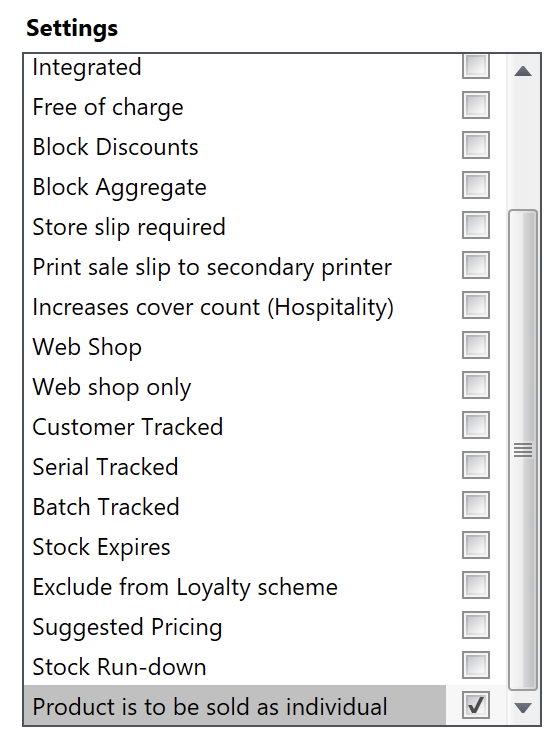
Once that is set, each time you press the button to sell that product, and enter a price, it will go in as a seperate line, at the individual price.
If you’re wondering why you didn’t have an issue before and haven’t needed this setting, one reason is that when items are Gift Aided, they’re automaticlly entered as seperate lines, because they have to be tracked as individual for the audit trail of the donated Gift Aid item. This tick is needed if you will sell the same product (same PLU/SKU code), non-gift-aided, on the same transaction, at different prices.
Related search terms: Product buttons coming up wrong price, qty quantity change wrong price, product category dept department price issue.