
If you have an inegrated card machine from any company, such as Paymentsense, DoJo, or Verifone, and wish to remove/disconnect it and use a standalone machine instead that is not connected to the till, you do this as follows:
In tengoPOS, type in \\EFT and press enter, which takes you to the card machine settings. On the ‘Mode’ dropdown, select PDQ, then click OK. You don’t need to worry about changing/removing any other settings.
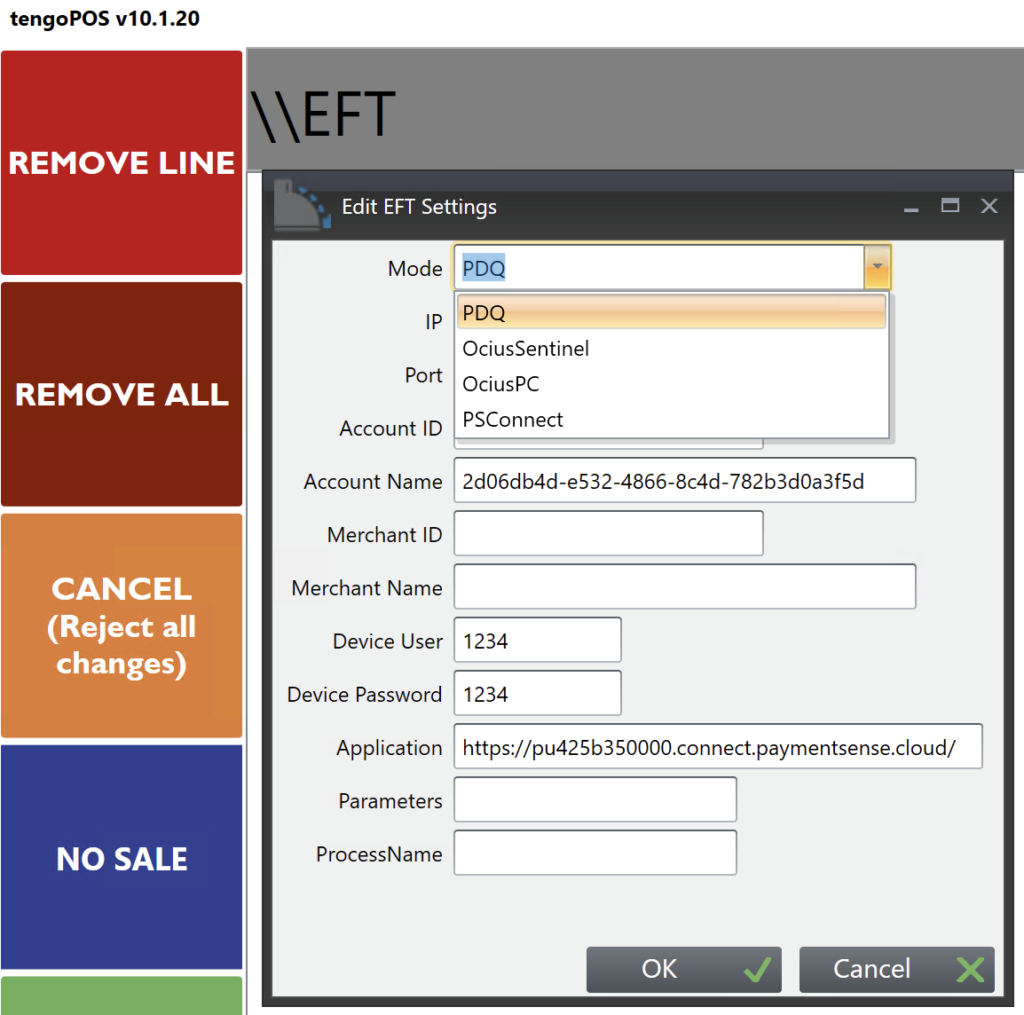
When in ‘PDQ’ mode, the card button still records card payments when processing a transaction, but you need to put the transaction through first and ensure it’s been authorise before pressing ‘card’ and either ‘exact’ or entering the amount tendered.
This may also be useful if you have a faulty PDQ machine and need to use a standalone one temporarily. A guide for switching back can be found here, if you leave the settings in as shown above, they’ll still be there when you switch back.